St Laurence in 3D!
March 3, 2026
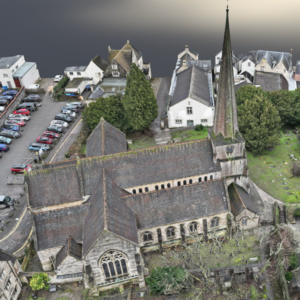
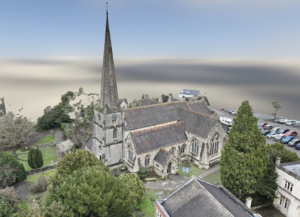
As part of our heritage project ‘St Laurence Restored’, we have received a High Definition 3D Meshed Textured model of the church and surrounds from Terra Measurement – Our survey and measurement specialists on the project.
Follow this link and enjoy navigating and inspecting the church: https://terrameasure.nira.app/
Nira Platform Instructions
Mobile / Touch navigation shortcuts
For mobile phones, tablets, and touch screens, the following combinations can always be used regardless of which navigation tool you’re in:
Zoom: Pinch in/out
Pan: Two finger drag
Double-clicking or tapping anywhere on the surface of an object will center your camera to that point and orbit the camera from that point.
Mouse / Keyboard navigation shortcuts
On a PC with a multi-button mouse and keyboard, the following navigation shortcuts can always be used regardless of which navigation tool you’re in. This is sometimes known as “Maya style navigation”:
Orbit: Alt+LMB drag
Pan: Alt+MMB drag (MMB drag alone also works)
Zoom: Alt+RMB drag or Alt+LMB+MMB drag
You can also use the following convention (“Revit style navigation”):
Orbit: Shift+MMB drag
Pan: MMB drag
Zoom: Ctrl+MMB drag
Lmb= left mouse button, mmb= middle mouse button, etc.